How Can I Buy Sell Digital Asset or Service?
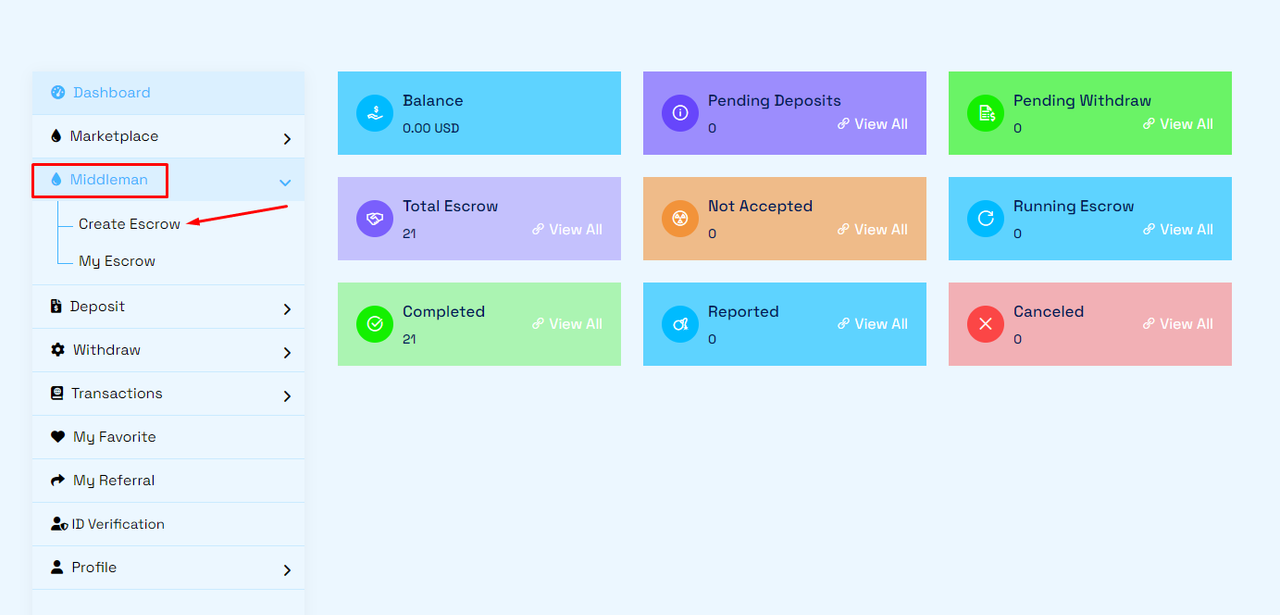
You must log in to your account dashboard to buy/sell any service. Under Middleman menu...
>Click Create Escrow
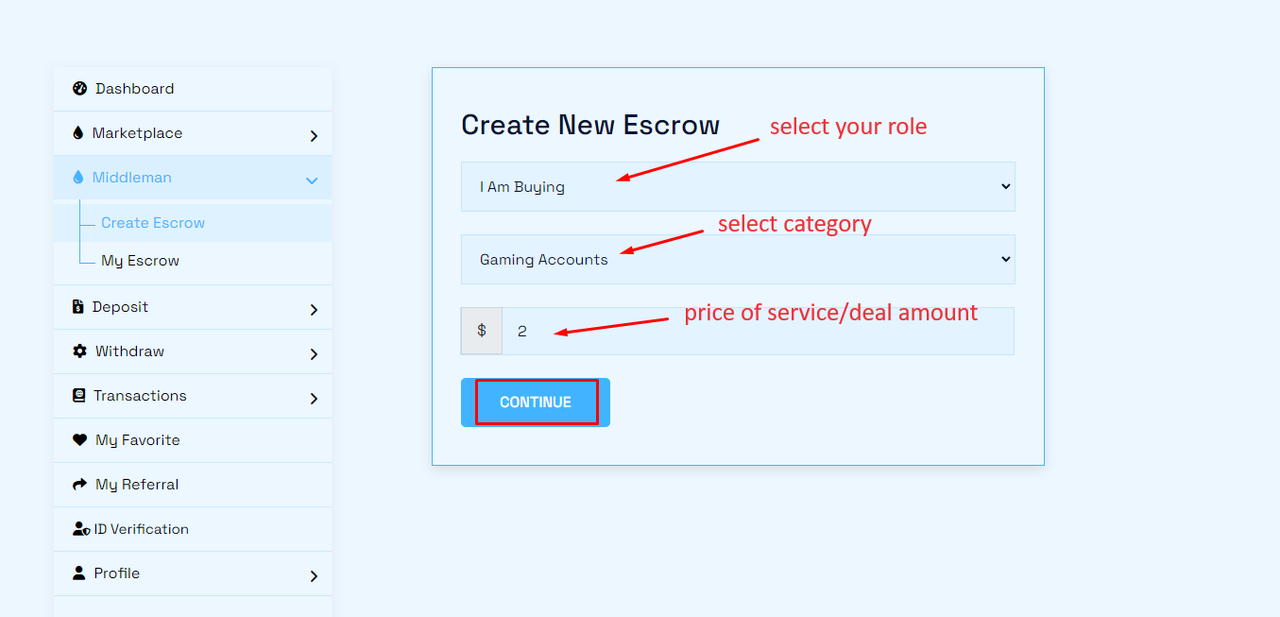
>then select your role (for Buyer-I am Buying and for Seller - I am Selling) and select category and enter service amount and then click continue.
>then enter title, enter Buyer/Seller registered email (for buyer-ask seller email and for seller -ask buyer email) and then select who pays the deal fee, select estimate delivery day to finish the deal and enter details of service and click Next.

>then you will see your recent escrow list. click (eye icon) for Dealbox and check everything.
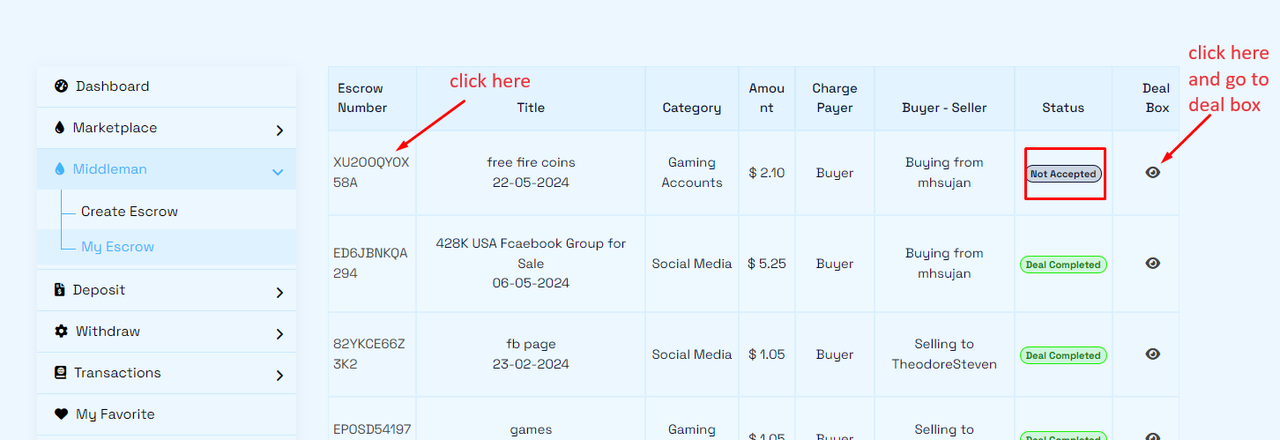
>then ask to seller/buyer...accept the invitation from dashboard. here, you can chat with seller/buyer.
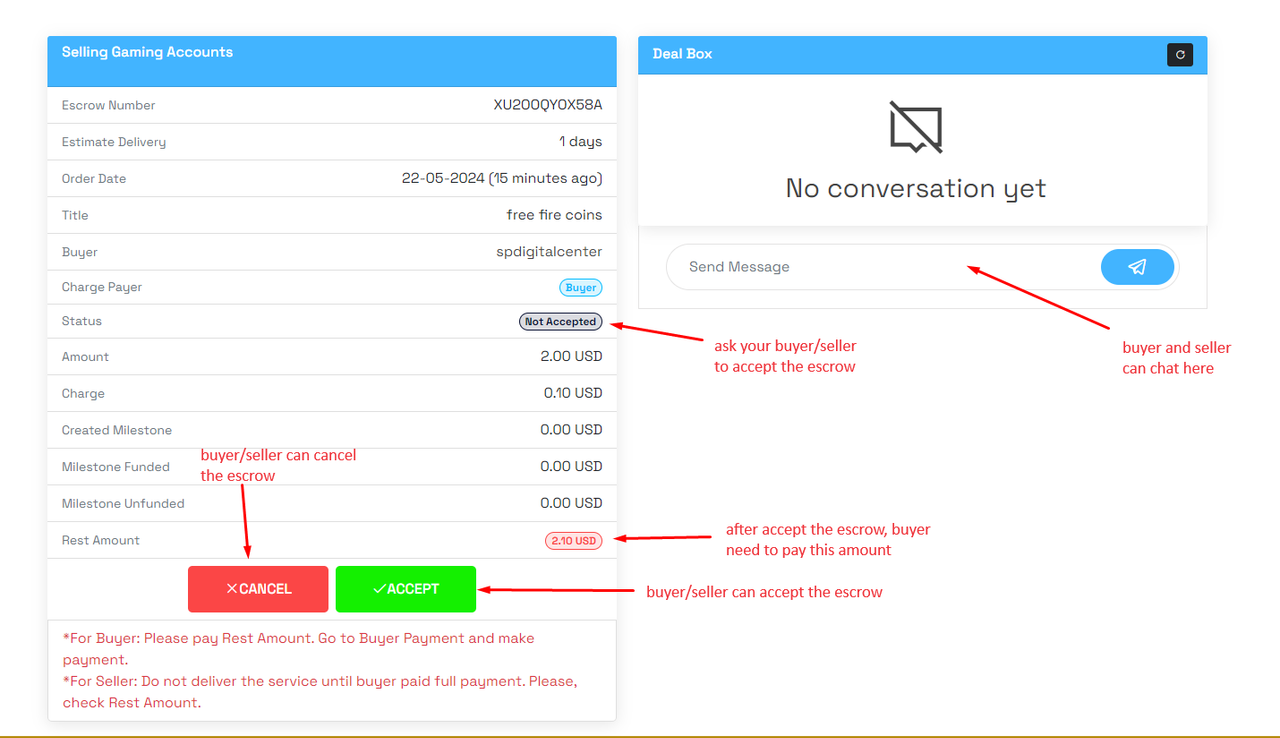
>if seller/buyer accept your order, you will see like this screenshot and Now buyer need to make payment. Click 'Make Payment'.
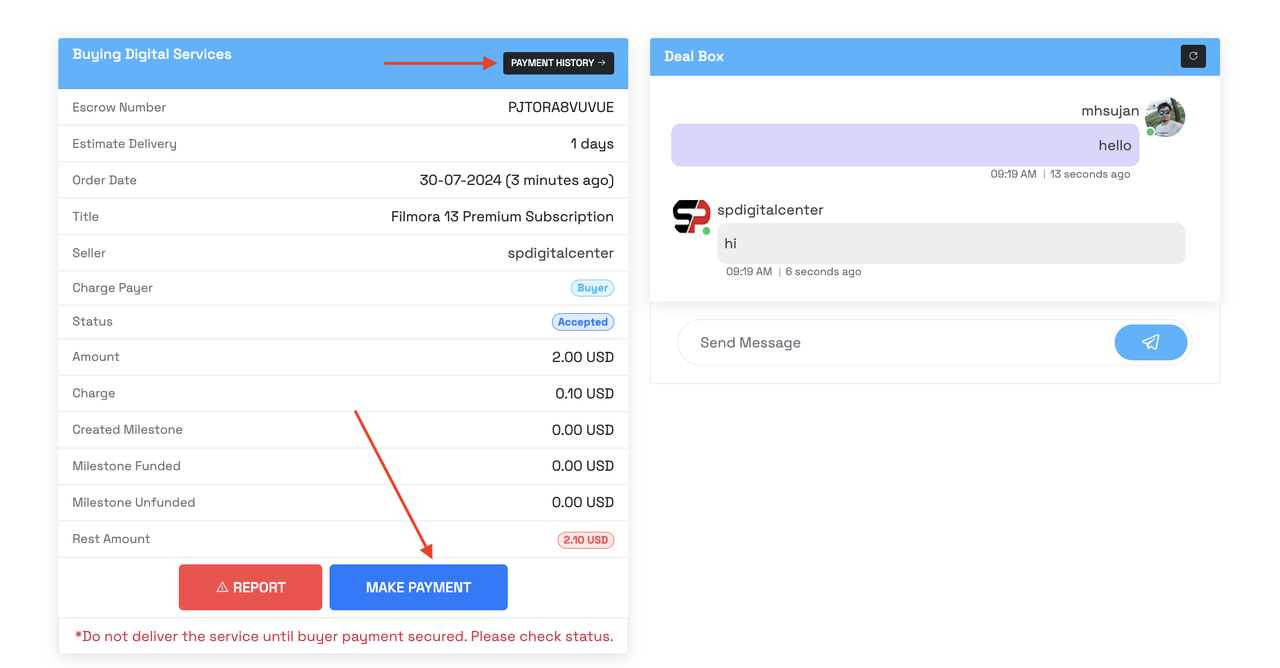
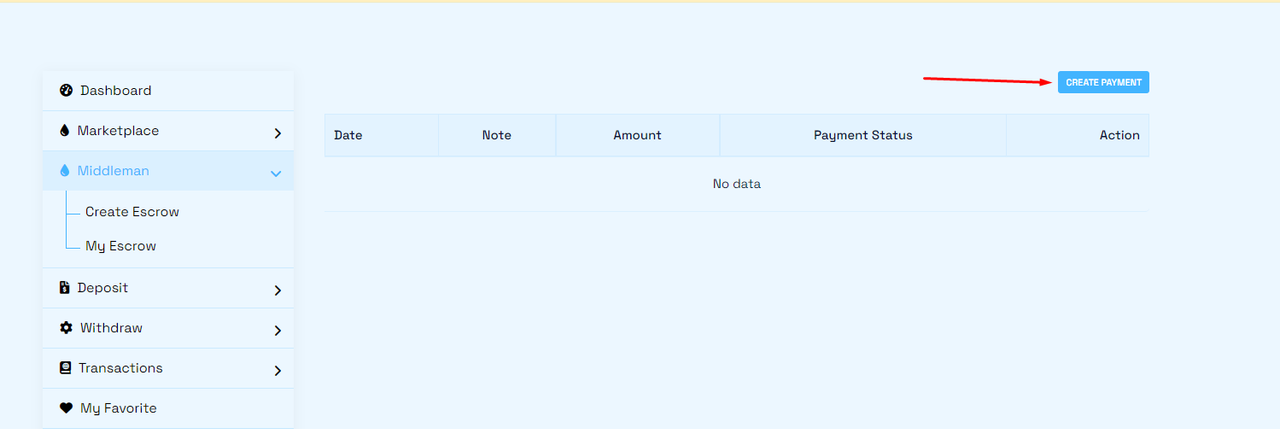
>Now, buyer need to make payment for deal. Go to "Buyer Payment" and click Create Payment.
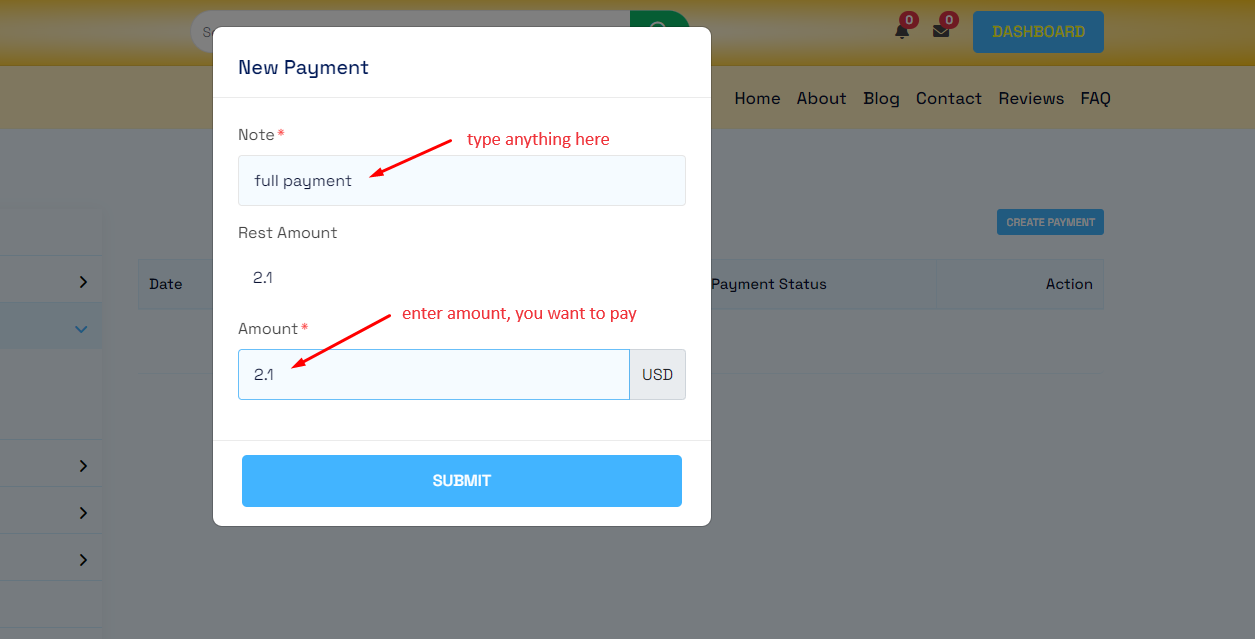
>Enter Notes (write anything) and Amount and then click Submit.
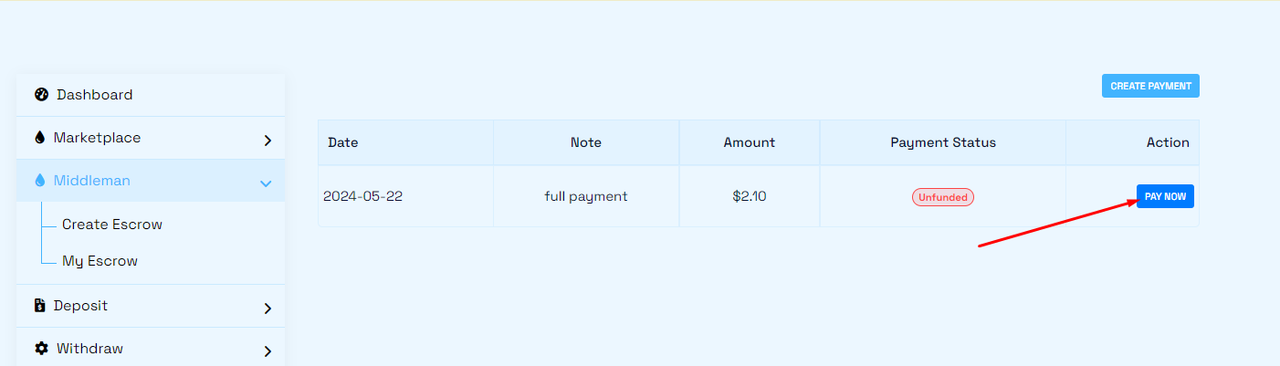
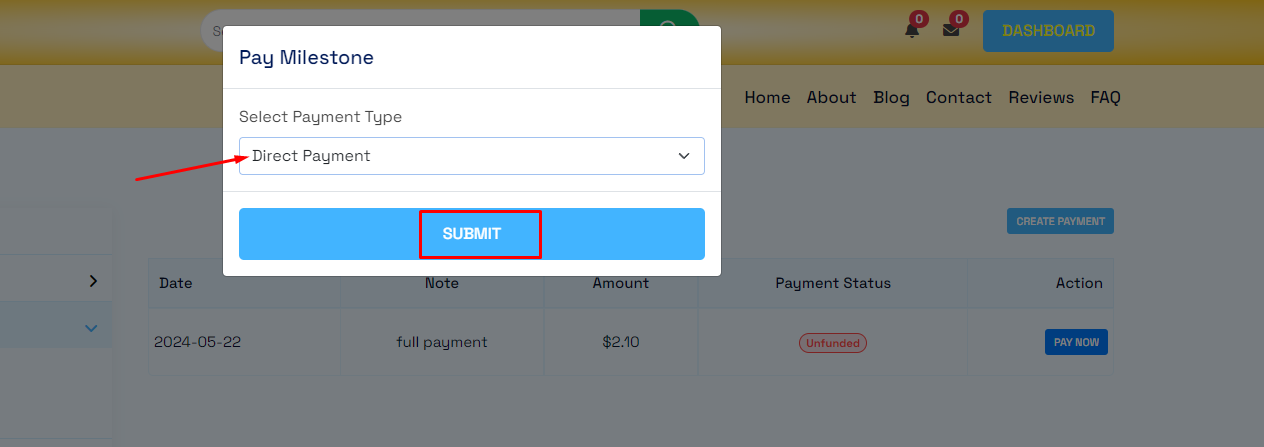
>then click "Pay Now".
>then select "Direct Payment/Wallet Balance" and Submit.
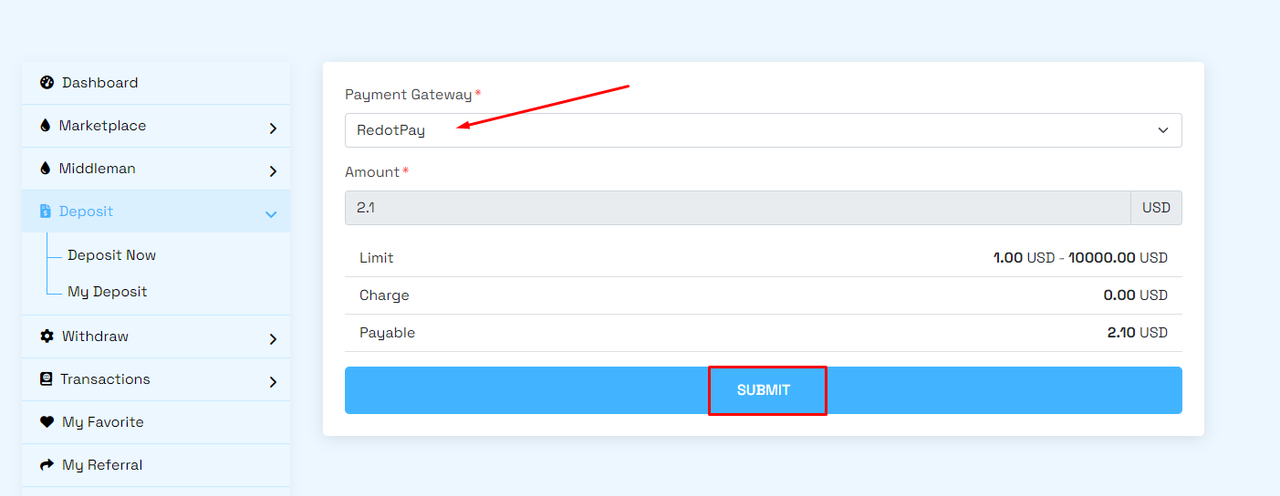
>Now for checkout...select payment gateway and Submit.
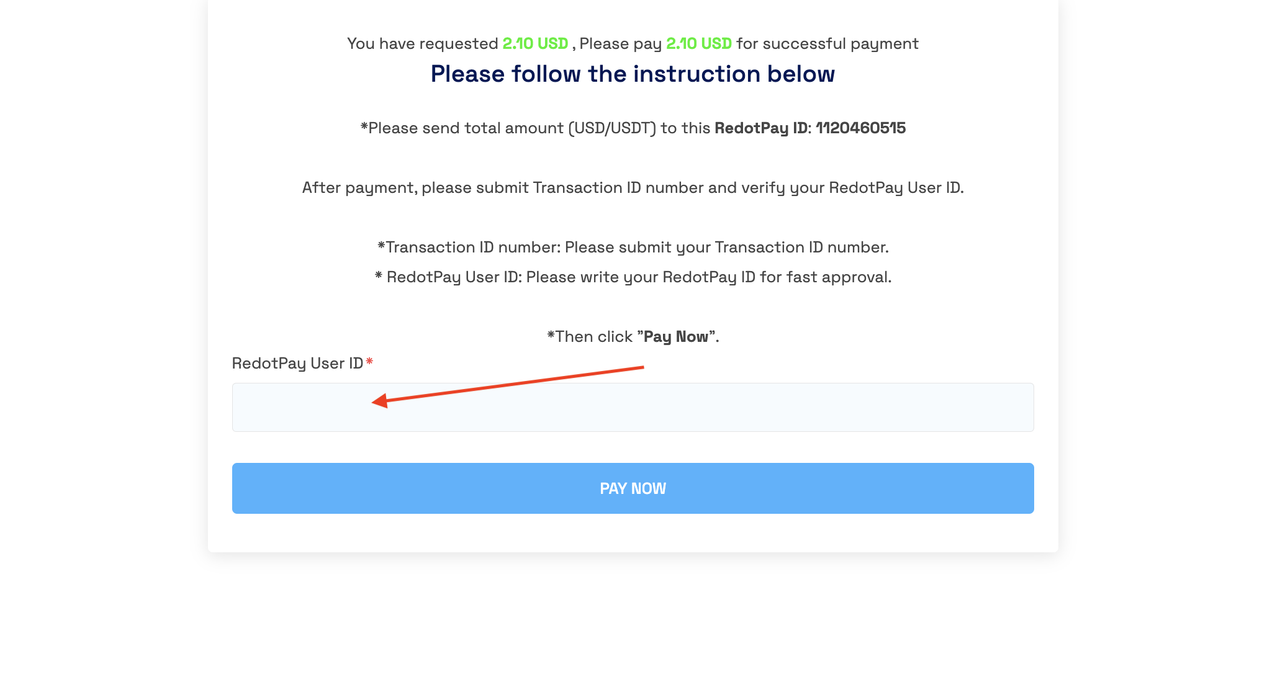
>Now, send money to admin payment account and enter transaction details and click "Pay Now".
>You can check your deposit status...
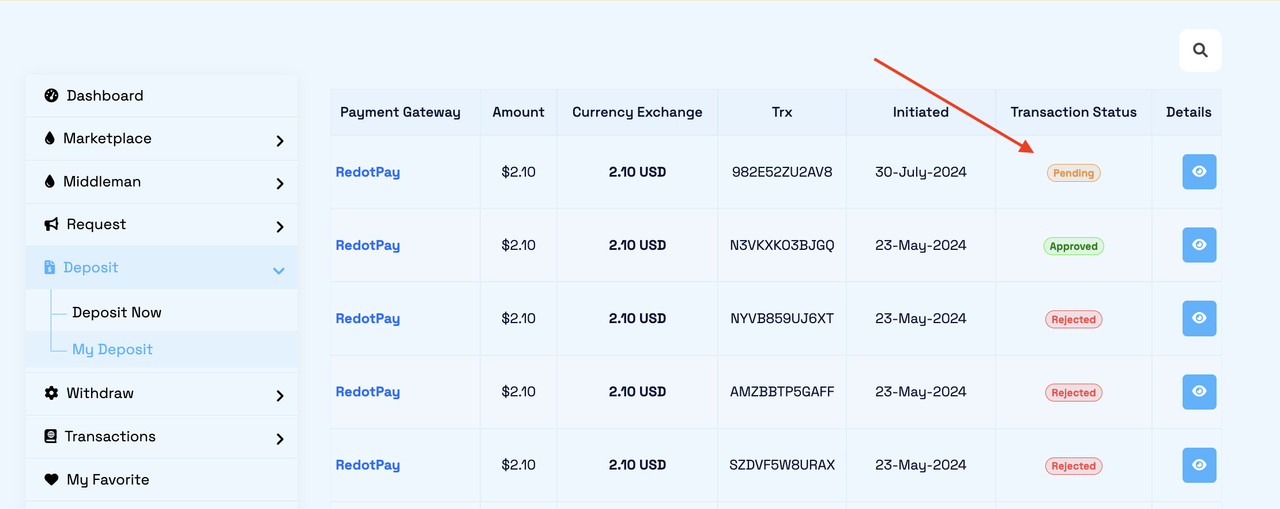
>After approval of your deposit, Seller need to check escrow status, rest amount, payment history and deliver service to Buyer.
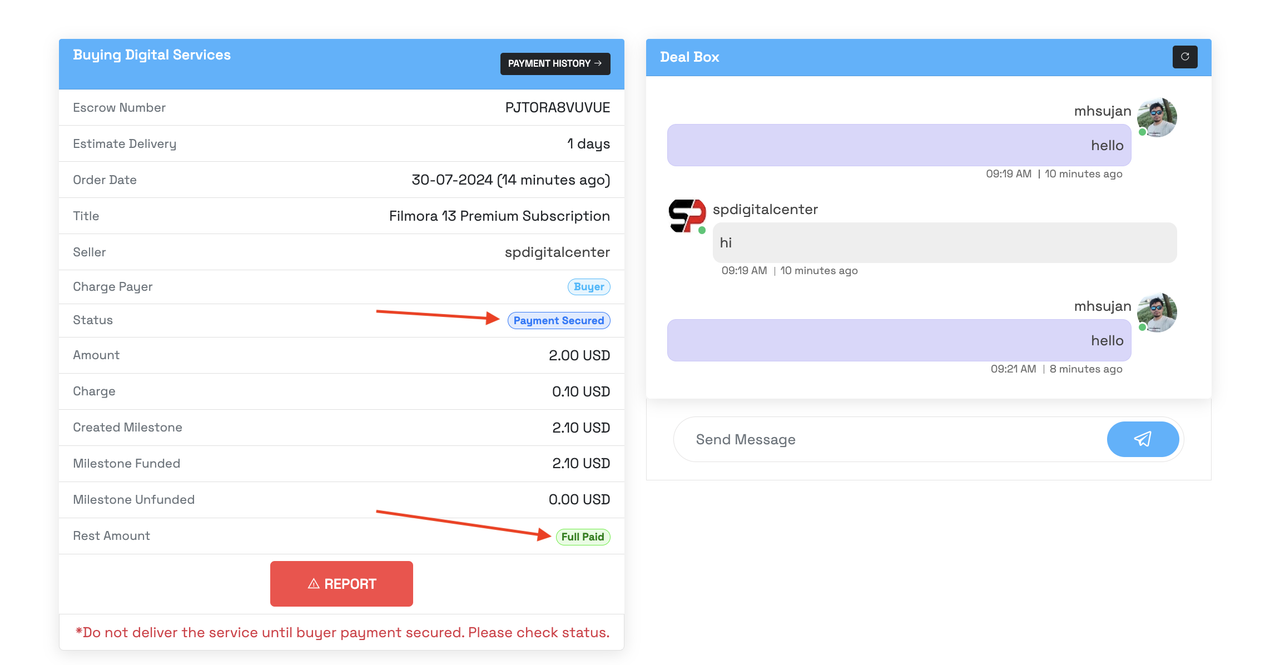
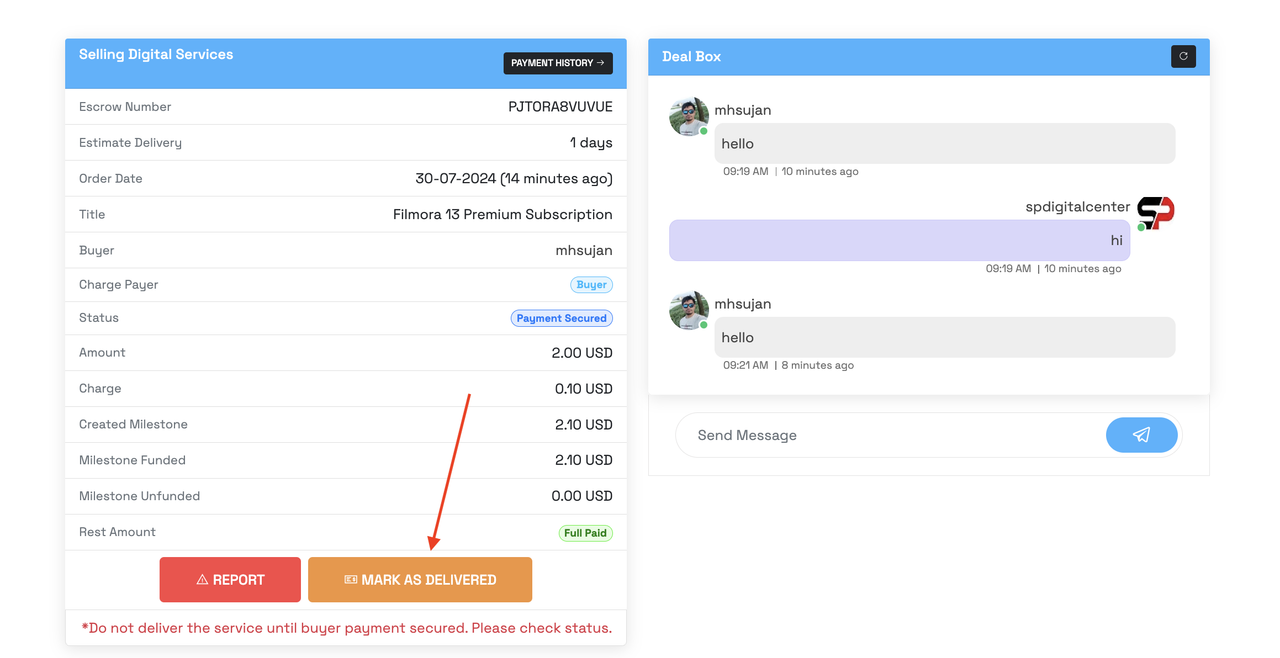
>>Now, Seller start deliver service to Buyer. Seller must click 'Mark as Delivered'.
>>When buyer received their service and Seller delivered service. Buyer need to 'Mark as Complete' the deal.
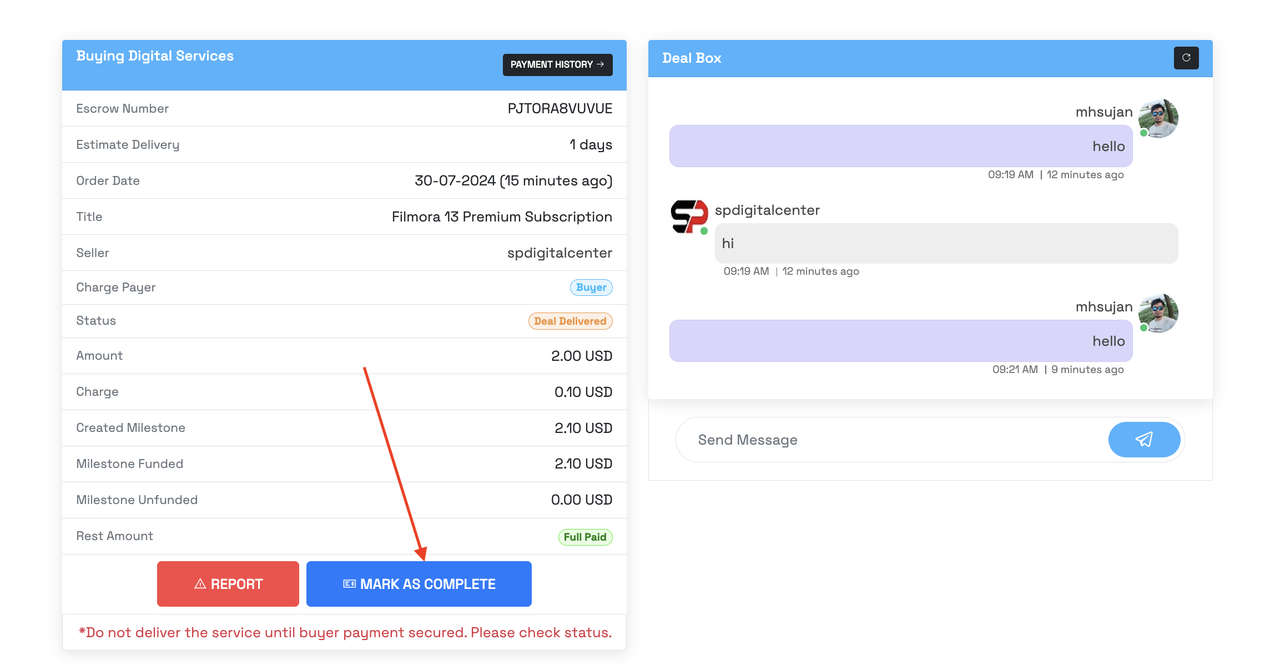
>>When Buyer confirm the deal. Your order completed.
>>Seller account will be funded automatically.